YuHeng (玉衡)
A local nutrition tracking app powered by AI
yuheng
YuHeng(玉衡 Jade Balance) - A local nutrition tracking app named after the fifth and brightest star in the Big Dipper constellation in traditional Chinese astronomy. Just as this star serves as a guiding and balancing force, YuHeng aims to help users in tracking their nutrition effectively.
Features
- 👥 Multi-User Support: Multiple user profiles with password authentication, complete data isolation
- 📸 Photo-based food logging
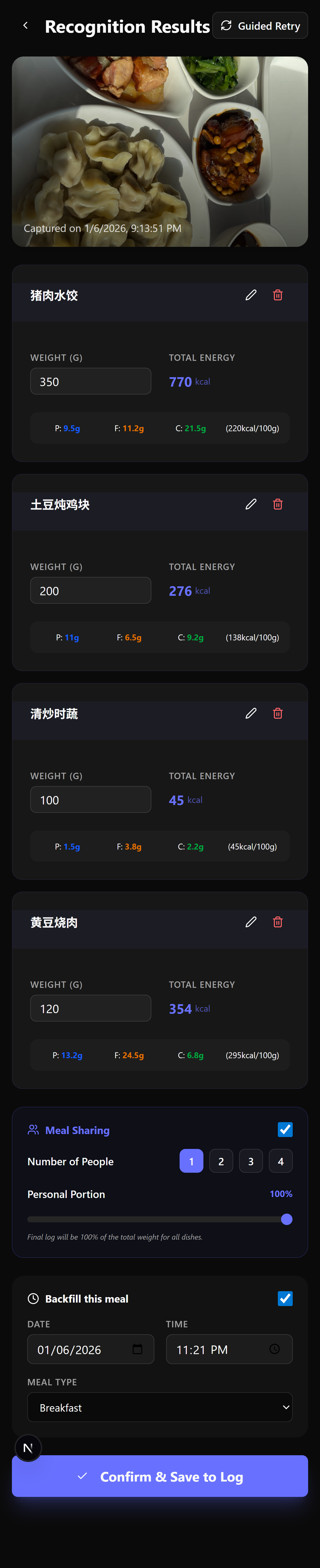
- 🤖 Auto-recognition of dishes using Gemini/OpenAI/Compatible LLMs
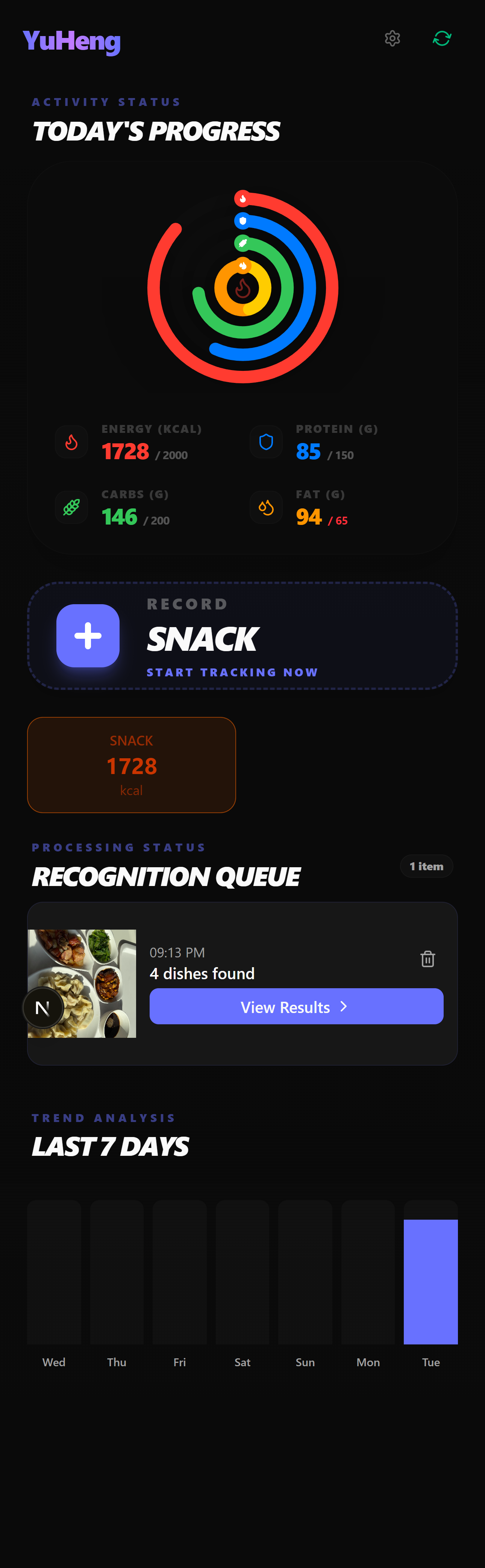
- 📊 Daily nutrition stats & weekly history
- 🍽️ Support for backfilling meals (Breakfast, Lunch, Dinner, Snack)
- 🐳 Docker support with SQLite or PostgreSQL persistence
- ⚡ Asynchronous image recognition queue
- ⚖️ Unit conversion (kcal/kJ, g/oz)
- ⏰ Custom meal times configuration
- 👥 Meal sharing & portion splitting
- 🔍 Packaged food scanning & recognition
- 🖥️ Backend Status Monitor: Real-time health status and version display
Supported LLM Providers
YuHeng supports a wide range of LLM providers for food recognition:
- Google Gemini: Optimized for vision tasks (Gemini 2.5 Flash, Gemini 3 Flash/Pro).
- Zhipu AI: Support for GLM-4V models.
- OpenAI: GPT-4o and GPT-4o mini.
- OpenAI Compatible: Support for various providers like DeepSeek, Qwen-VL, GLM-4V, Doubao, etc.
Detailed model lists can be configured in the settings page.
Getting Started
- Clone the repo
- Run
bun install - Run
bun run dev - Open
http://localhost:3000 - Configure your LLM Provider and API Key in the settings page.
Docker Usage
Build the image:
docker build -t yuheng .
Run the container:
# Create a data directory
mkdir data

# Run container with PostgreSQL
docker run -d \
  --name yuheng \
  -p 3000:3000 \
  -e DATABASE_URL=postgresql://user:password@your-db-host:5432/yuheng \
  -v "$(pwd)/data:/app/data" \
  ghcr.io/formaxcn/yuheng
The container will automatically run database migrations on startup.
Environment Variables
| Variable | Description | Required | Default |
|---|---|---|---|
DATABASE_URL |
PostgreSQL connection string | Yes | - |
Example:
DATABASE_URL=postgresql://user:password@localhost:5432/yuheng
Docker Compose (PostgreSQL)
You can easily start YuHeng with a PostgreSQL database using Docker Compose:
- Run:
docker-compose up -dThis will start both the YuHeng app and a PostgreSQL database. The app will automatically wait for the database to be ready and run migrations before starting.
API Documentation
API documentation is available at /api/docs (JSON) or /api/openapi.json.
You can import this into Postman or explore via Swagger UI.
Project Documentation
Detailed technical and user-facing documentation for YuHeng:
🗺️ Roadmap
- Release History: Completed versions and feature log (v0.1, v0.2, v0.3)
- Future Plans: Upcoming features, priorities, and implementation plans
✨ Features
User-centric guides on what YuHeng can do and how it works.
- Multi-User Support: User profiles, password authentication, and complete data isolation.
- Smart Food Logging: AI-powered dish and text recognition.
- Recognition Queue: Asynchronous processing and guided AI retry.
- Packaged Food (OCR): Specialized recognition for nutrition labels.
- Portion Management: Sharing meals and smart weight scaling.
- Dashboard & History: Tracking daily progress and weekly trends.
- Backfilling Logic: Manual entries and automatic classification.
- Recipe Library: Recipe re-entry and automatic snapshotting.
- Regional Adaption: One-click setup for CN/US regions.
- Unit Preferences: Switching between kcal/kJ and g/oz.
- Backend Status: Real-time health monitoring and version display.
- Pre/Post Meal Comparison: Extensible framework for nutrition, blood glucose, and biometric comparison analysis.
🛠️ System Design
Technical details for developers and contributors.
- Architecture Overview: High-level tech stack and project structure.
- System Flows: Core logic and integration sequence diagrams.
- Database Implementation: Adapter pattern for SQLite and PostgreSQL.
- Database Schema: Detailed table definitions and snapshotted relations.
- Prompt Engine: Decoupled management of AI instructions.
- LLM Integration: Multi-provider support and factory logic.
- Docker & Deployment: Standalone builds and container orchestration.
- Resumable Uploads: Fault-tolerant image uploads for mobile networks.
- Page Implementation: Breakdown of the frontend application.
Configuration
Settings like meal times, daily targets, and API keys can be configured directly in the app’s settings page.
Roadmap
See Release History for completed versions and Future Plans for upcoming features.
Completed
- v0.1: Core nutrition tracking, photo recognition, PostgreSQL migration
- v0.2: Packaged food OCR, multi-provider LLM, recognition queue, unit preferences
- v0.3: Multi-user support, backend status monitoring
Upcoming
- Calendar view for nutrition history
- Meal plan presets
- PWA support
- Mobile app version
## Screenshots